Officer walkthrough · Under 3 minutes
How Kodex works for an officer
A detective sends one records request in 11 steps, from finding the company to getting the records back.
This is how a detective sends a records request to a company on Kodex. We'll follow one request from finding the company to getting the records back, one step at a time.
Step one, start a request. Dana is a detective at Harbor City Police Department. Every request Dana has sent is listed here, with the company, the status, and the due date. Dana selects New request to start another one.
Step two, find the company. Dana searches the directory by name, and Commonwealth Utility comes up. Dana opens its profile to see how the company wants to receive requests.
Step three, read the guidelines. The profile says where to serve legal process, what to include in a records request, and how the company handles emergencies. Dana selects Get started, and the request form opens.
Step four, enter the request details. The form has seven steps, so every request reaches the company in the same format. Dana types the agency case number. The legal process, the date it was signed, and the date range of the records each have their own field.
Step five, describe the targets. Dana sets how many there are and the role they play in the case. Commonwealth Utility lists the identifiers it accepts, and Dana picks email, since the subpoena gives three email addresses.
Step six, add the targets. Each target gets a type and its identifiers. Dana enters the last of the three email addresses and saves it, and all three sit in one list for the company to search.
Step seven, answer the disclosure questions. This case has no non-disclosure order, and no law prohibits disclosure, so Dana confirms the person named may be notified.
Step eight, attach the legal process. Notes are optional, so Dana moves on and uploads the signed subpoena. It's now part of the request.
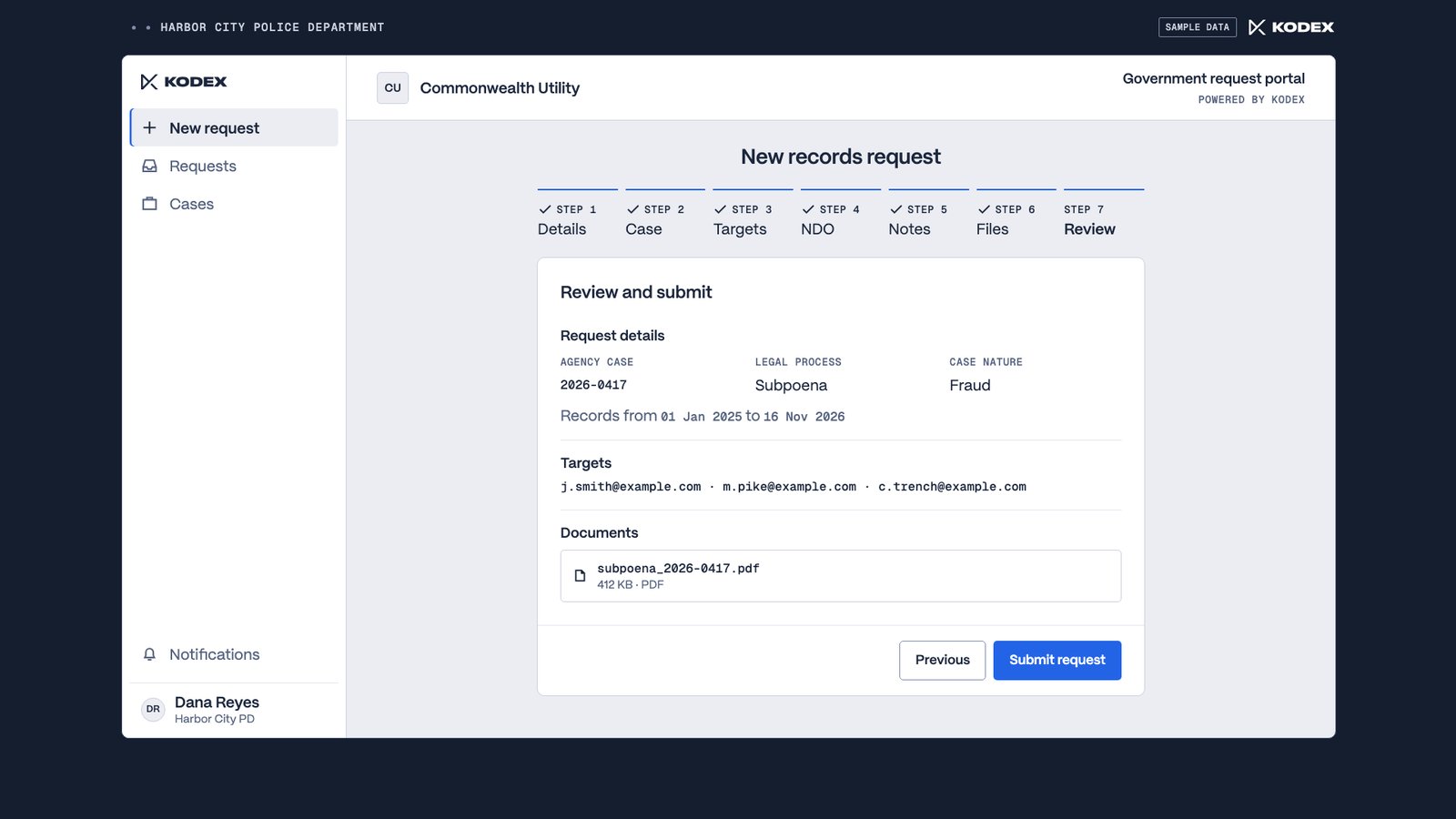
Step nine, review and submit. One page shows the details, the three targets, and the subpoena. Dana submits, and the request goes straight to Commonwealth Utility.
Step ten, work with the company. When Commonwealth Utility accepts the request, the reply and the new status show up on the timeline. Sam, the analyst, asks Dana to confirm two of the addresses. Dana answers right on the request, so the whole exchange stays in one place.
Step eleven, get the records back. Commonwealth Utility completes the request with the records attached. Dana downloads the file, and the banner shows how long the company keeps it in Kodex.
That's one request, from finding the company to getting the records back. Your Kodex team can walk you through how this works for your agency.
In this walkthrough
Find
Request
- 00:53 Enter the request details
- 01:10 Describe the targets
- 01:26 Add the targets
- 01:38 Answer the disclosure questions
- 01:50 Attach the legal process
- 01:59 Review and submit
Receive
The walkthrough
Eleven steps, one request
The walkthrough follows one subpoena from a police department to a company’s legal response team. The request, the agency and the people in it are sample data.
Start a request
Dana is a detective at Harbor City Police Department. Every request Dana has sent is listed with the company, the status and the due date. Dana selects New request to start another. 00:09
Find the company
Dana searches the directory by name and opens Commonwealth Utility’s profile, which shows how the company wants to receive requests. 00:23
Read the guidelines
The profile says where to serve legal process, what to include in a records request and how the company handles emergencies. Get started opens the request form. 00:35
Enter the request details
The form has seven steps, so every request reaches the company in the same format. The case number, the legal process, the date it was signed and the date range of the records each have their own field. 00:53
Describe the targets
Dana sets how many targets there are and the role they play in the case. The company lists the identifiers it accepts, and Dana picks email, since the subpoena gives three email addresses. 01:10
Add the targets
Each target gets a type and its identifiers. All three email addresses sit in one list for the company to search. 01:26
Answer the disclosure questions
This case has no non-disclosure order, and no law prohibits disclosure, so Dana confirms the person named may be notified. 01:38
Attach the legal process
Notes are optional. Dana uploads the signed subpoena, and it’s now part of the request. 01:50
Review and submit
One page shows the details, the three targets and the subpoena. Dana submits, and the request goes straight to Commonwealth Utility. 01:59
Work with the company
When the company accepts, the reply and the new status show up on the request’s timeline. Sam, the analyst, asks Dana to confirm two of the addresses, and Dana answers on the request, so the whole exchange stays in one place. 02:10
Get the records back
Commonwealth Utility completes the request with the records attached. Dana downloads the file, and a banner shows how long the company keeps it in Kodex. 02:28
Next step
See it with your team
Your Kodex team can walk you through how this works for your agency.